The question “what furniture improves meeting room productivity” deserves more than a list of stylish chairs and tables. Furniture shapes how people sit, speak, focus, and respond. In a well-designed room, an adjustable chair can reduce discomfort during a long planning session. A table with rounded edges may encourage eye contact and equal participation. Mobile whiteboards can turn a passive discussion into a working session. These details are practical, not decorative.
Designers and workplace researchers often connect comfort, posture, acoustics, and room flexibility with better collaboration. My experience in reviewing meeting spaces suggests that furniture works best when it supports the meeting’s purpose. A small round table may suit a creative workshop. A modular arrangement may serve project teams that shift between presentation and discussion. Quiet, supportive seating can help participants remain engaged without feeling trapped. It is not perfect, though. Expensive furniture cannot repair unclear agendas, poor facilitation, or excessive meetings. That limitation deserves attention.
This guide examines how ergonomic chairs, collaborative tables, height-adjustable desks, acoustic furniture, and flexible storage affect productivity. It also considers accessibility, maintenance, room size, and realistic budgets. A beautiful chair that breaks quickly is not a reliable investment. Nor is a large table useful when it blocks movement or prevents clear sightlines. The strongest choices combine user feedback, professional standards, and measurable workplace needs. Small changes matter. A better layout may save minutes, reduce distractions, and make participation feel easier.
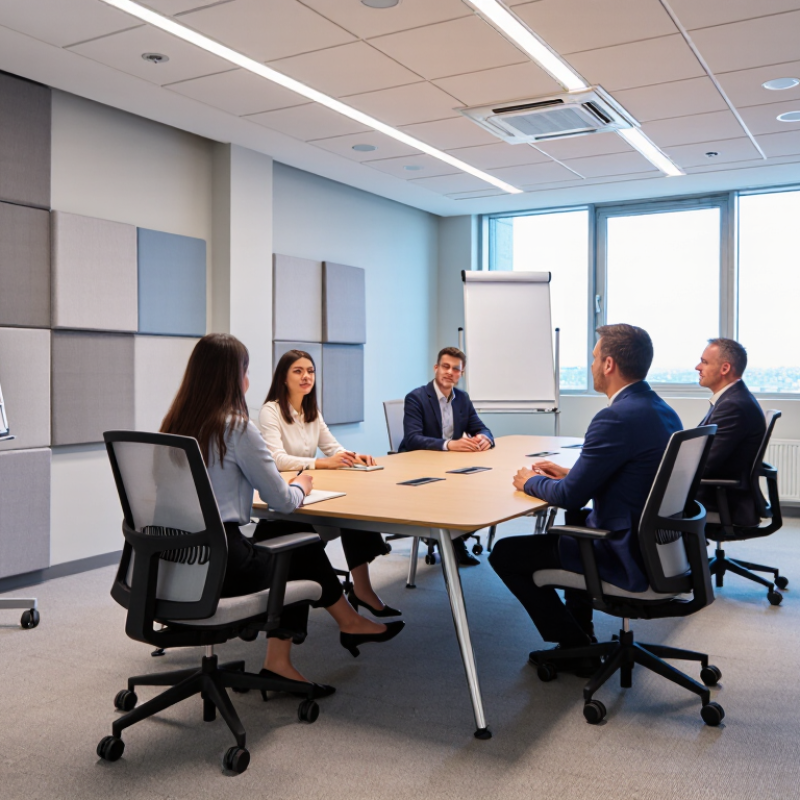
What furniture improves meeting room productivity? The answer starts before a catalog or floor plan. Meetings can consume about 15% of organizational time, but that figure is only a planning benchmark. Measure your own baseline for four weeks. Record meeting hours, attendance, delays, decisions made, and follow-up tasks. Start with evidence. A room that feels busy may still produce little progress. That difference matters.
Furniture should address the waste you can see. Adjustable tables let teams switch between presentation, discussion, and focused work. Supportive chairs reduce restless movement during longer sessions. Small writable surfaces keep decisions visible instead of buried in notebooks.
Mobile seating helps people form smaller groups without shouting across a large table. Acoustic materials can limit echo when several voices compete. Test comfort at the end of a sixty-minute meeting, not only during a showroom visit. It is easy to mistake attractive furniture for effective furniture.
After installation, compare the same measures for another four weeks. Look for shorter meetings, fewer late starts, clearer ownership, and less repeated discussion. Do not expect furniture to repair unclear agendas or excessive invitations. Our first layout may fail. A narrow walkway, poor screen angle, or noisy chair can create new friction. Invite regular users to report these details anonymously. Review the evidence, adjust one element at a time, and keep the room flexible enough to challenge your original assumptions. Keep testing.
A productive meeting room starts with the table, not the screen. Allow 30–36 inches of table width for each seated participant. This gives elbows room, supports note-taking, and reduces accidental contact. A six-person table should measure about 60–72 inches wide, depending on its shape and leg design.
The 2024 State of the Global Workplace report from Gallup found that only 23% of employees were engaged worldwide. Meeting design cannot solve that problem alone, but physical discomfort can make collaboration harder. The 2024 Global Workplace Survey by Gensler Research Institute also identified focus and collaboration as major workplace needs. A crowded table weakens both. I have seen participants turn sideways when laptops, notebooks, and drinks compete for space. That small adjustment changes attention.
Tips: Measure real equipment before ordering. A laptop, notepad, and shared microphone need more room than a chair alone. Leave clear circulation space behind seated users. Test one temporary layout with actual participants. The 36-inch rule is useful, but it is not perfect. Some teams need wider spacing for drawings, accessible devices, or hybrid meeting equipment. Review the room after several meetings, because the first plan may look better on paper than in use.
Meeting-room furniture can either support clear thinking or quietly drain it. Gallup’s 2023 State of the Global Workplace report found that only 23% of employees were engaged worldwide. Comfort will not solve every productivity problem, but it can remove an avoidable distraction. Ergonomic chairs should support a 90–120° recline, allowing users to shift between attentive discussion and relaxed listening. The backrest should move with the user, not force a rigid upright posture.
Adjustable height matters just as much. The user’s feet should rest flat, with knees near hip level and thighs supported without pressure. OSHA’s computer workstation guidance recommends adjustable seating and proper lower-back support. Cornell University’s ergonomics guidance also stresses neutral posture and frequent position changes. These details sound basic. They are often missed. A chair that fits one tall participant may leave another person’s feet dangling, which can create tension before the meeting even begins.
Tips: Test chairs with actual meeting tables. Check whether users can recline without hitting walls or other seats. Leave enough space for movement. Ask participants where discomfort appears after 30 minutes, not after 30 seconds. This feedback is imperfect, but useful. Avoid locking every chair at one angle. People concentrate differently, and a fixed posture may look organized while feeling surprisingly exhausting.
| Ergonomic Dimension | Recommended Specification | Productivity Benefit in Meetings | Practical Selection Check |
|---|---|---|---|
| Backrest recline range | Supports approximately 90°–120° with a stable locking or tension-control mechanism. | Allows users to sit upright for discussion and recline slightly during presentations, reducing static postures. | Test both upright and reclined positions; the backrest should remain supportive without sudden movement. |
| Seat height adjustment | Approximately 400–520 mm from the floor, depending on the chair design and intended users. | Helps users place their feet securely on the floor while keeping the knees near hip level. | When seated, feet should rest flat and the seat edge should not press behind the knees. |
| Seat depth | Approximately 400–480 mm, or a seat pan with adjustable depth. | Supports the thighs without restricting circulation or encouraging users to slide forward. | Leave a small gap between the front edge of the seat and the back of the knees. |
| Seat width | At least approximately 450 mm of usable seating width for general meeting-room use. | Provides enough space for natural posture changes and accommodates a wider range of body sizes. | Check that armrests and side bolsters do not reduce usable seating space. |
| Lumbar support | Adjustable height and, ideally, adjustable depth or firmness. | Helps maintain a supported lower-back posture during extended discussions and video conferences. | The support should contact the lower back without creating a hard pressure point. |
| Armrest adjustment | Height-adjustable armrests; width, depth, or pivot adjustment is beneficial. | Reduces shoulder elevation and supports relaxed arms while typing, writing, or listening. | Armrests should allow the chair to move close to the meeting table. |
| Seat and backrest comfort | Contoured, pressure-distributing padding with breathable upholstery or mesh. | Improves comfort during longer meetings and reduces frequent posture changes caused by pressure or heat. | Evaluate comfort after sitting for at least 10–15 minutes rather than relying only on a brief test. |
| Mobility and stability | A stable five-point base with smooth, quiet casters suitable for the floor surface. | Enables small posture adjustments and easier collaboration without excessive chair noise or instability. | Check that the chair rolls smoothly but does not move unexpectedly when users sit down. |
| Meeting-table compatibility | Adjustable height and arms that can clear the underside of the table. | Allows users to sit close enough to write, read documents, and maintain a comfortable viewing distance. | Test the complete chair-and-table combination, not the chair alone. |
| Adjustability access | Controls are clearly labeled or intuitive and can be reached while seated. | Makes it more likely that different users will actually personalize the chair instead of accepting an unsuitable position. | A new user should be able to adjust height, recline, and lumbar support within a few minutes. |
General ergonomic reference ranges are intended for specification and screening purposes; final selection should account for user size, meeting duration, table height, and floor conditions.
What Furniture Improves Meeting Room Productivity?
Treat Room Acoustics: Target ≤0.6 Seconds of Speech Reverberation
Meeting room furniture can improve productivity when it controls reflected speech. Hard tables, glass walls, and bare floors create echoes. People then repeat questions, speak louder, and lose focus. A practical target is speech reverberation of 0.6 seconds or less. This supports clearer conversations, especially for remote participants and people with hearing difficulties.
Choose upholstered chairs with absorbent fabric and use a table with a matte, low-reflection surface. Carpet tiles can soften footfall and reduce high-frequency reflections. Freestanding acoustic screens help divide large rooms without making the space feel enclosed. Wall-mounted absorbers are also useful, but furniture alone may not solve excessive reverberation. Measure the room with suitable acoustic equipment before changing the layout. My experience is that visual comfort often receives more attention than sound. That balance needs reconsideration.
Tips: Place soft seating away from corners. Keep microphones close to speakers. Avoid long, empty walls. Test speech from every seat. Rearrange furniture after measurement, not guesswork.
A room should sound calm, not dead. Too much absorption can make voices feel unnaturally dry and reduce energy. Aim for consistent speech clarity across the table. Small details matter, including chair spacing, ceiling height, and whether cabinets contain books or empty surfaces. Document the results after installation, because real occupancy changes the acoustic performance.
Treat room acoustics by keeping speech reverberation at or below 0.6 seconds.
Upholstered seating, fabric screens, acoustic panels, and other sound-absorbing furniture reduce reflected speech energy. The recommended design target for clear meeting-room speech is an RT60 of ≤0.6 seconds; lower values generally improve intelligibility and reduce listening effort.
What Furniture Improves Meeting Room Productivity?
Design for Hybrid Teams: Give Remote Participants Equal 1:1 Visibility
A productive meeting room should make every face easy to see, not merely fit more chairs. Microsoft’s Work Trend Index reported that 43% of remote participants do not feel included in meetings. Furniture can either widen that gap or reduce it.
Use a shallow oval or rounded-rectangle table instead of a long boardroom table. This keeps remote participants within a similar camera distance and limits blocked sightlines. Place the camera at seated eye level, centered with the table, rather than facing one end. Each in-room participant should have a clear view of the shared screen and the remote faces. Keep laptop lids below eye level when possible. Tall partitions and high-backed chairs often create visual barriers.
Acoustic performance matters too. The 2023 Gensler Global Workplace Survey found that workers value spaces supporting both focus and collaboration. Add upholstered seating, soft wall panels, and a rug beneath the table to reduce echo. Select chairs that swivel toward the camera without forcing awkward body positions. Small details matter.
I have seen rooms with excellent screens still exclude remote colleagues. The layout looked polished, but people turned toward the table and forgot the camera. A useful test is simple: record a meeting from the remote view. Check whose face disappears, whose voice becomes distant, and whether the furniture encourages eye contact. The room may need revision.
Track meeting hours, attendance, delays, decisions, and follow-up tasks for four weeks. Use your own baseline. A busy room may produce little progress.
Adjustable tables support presentations, group discussions, and focused work. Mobile seating helps teams create smaller groups without shouting. Flexibility matters.
Test chairs after a sixty-minute meeting, not only during a showroom visit. Supportive seating can reduce restless movement. Attractive is not always effective.
Upholstered chairs, carpet tiles, acoustic screens, and wall absorbers can soften reflected speech. Use matte, low-reflection table surfaces. Hard surfaces often increase repetition.
Aim for speech reverberation of 0.6 seconds or less. Test speech from every seat. The room should sound calm, not unnaturally dead.
Not always. Measure the room with suitable equipment before changing the layout. Ceiling height, chair spacing, and empty cabinets also affect sound.
Clearer acoustics reduce repeated questions and louder speaking. Keep microphones close to speakers. Check speech clarity from the farthest seat.
Compare another four weeks of data with the original baseline. Look for shorter meetings, fewer late starts, and clearer ownership. Our first layout may fail.
Inspect narrow walkways, poor screen angles, noisy chairs, and long empty walls. Ask regular users for anonymous feedback. Some details are easy to miss.
No. Furniture cannot repair weak planning or excessive attendance. It can reduce physical friction, but the meeting design still needs review.
What furniture improves meeting room productivity? The answer begins with understanding how much time meetings consume—roughly 15% of organizational working hours—so every design choice should support focus, comfort, and efficient collaboration. A properly sized table should provide approximately 30–36 inches of width per seated participant, allowing enough room for laptops, documents, and natural movement without making communication feel distant.
Comfortable ergonomic chairs are equally important. Adjustable height and a supportive recline range of 90–120 degrees can help participants remain attentive during longer discussions. Room acoustics also influence productivity; reducing speech reverberation to 0.6 seconds or less makes conversations clearer and limits distracting echoes. Finally, hybrid meeting spaces should give remote participants equal 1:1 visibility through thoughtful seating and screen placement. Together, these furniture and layout decisions create a meeting room that supports better concentration, clearer communication, and more balanced participation.

Sitnova Furniture